
Ingesting Docker Logs with Loghead Cloud

A step-by-step guide to streaming and analyzing Docker container logs directly in the Loghead Cloud UI.

# Step-by-Step Setup

Create a New Project

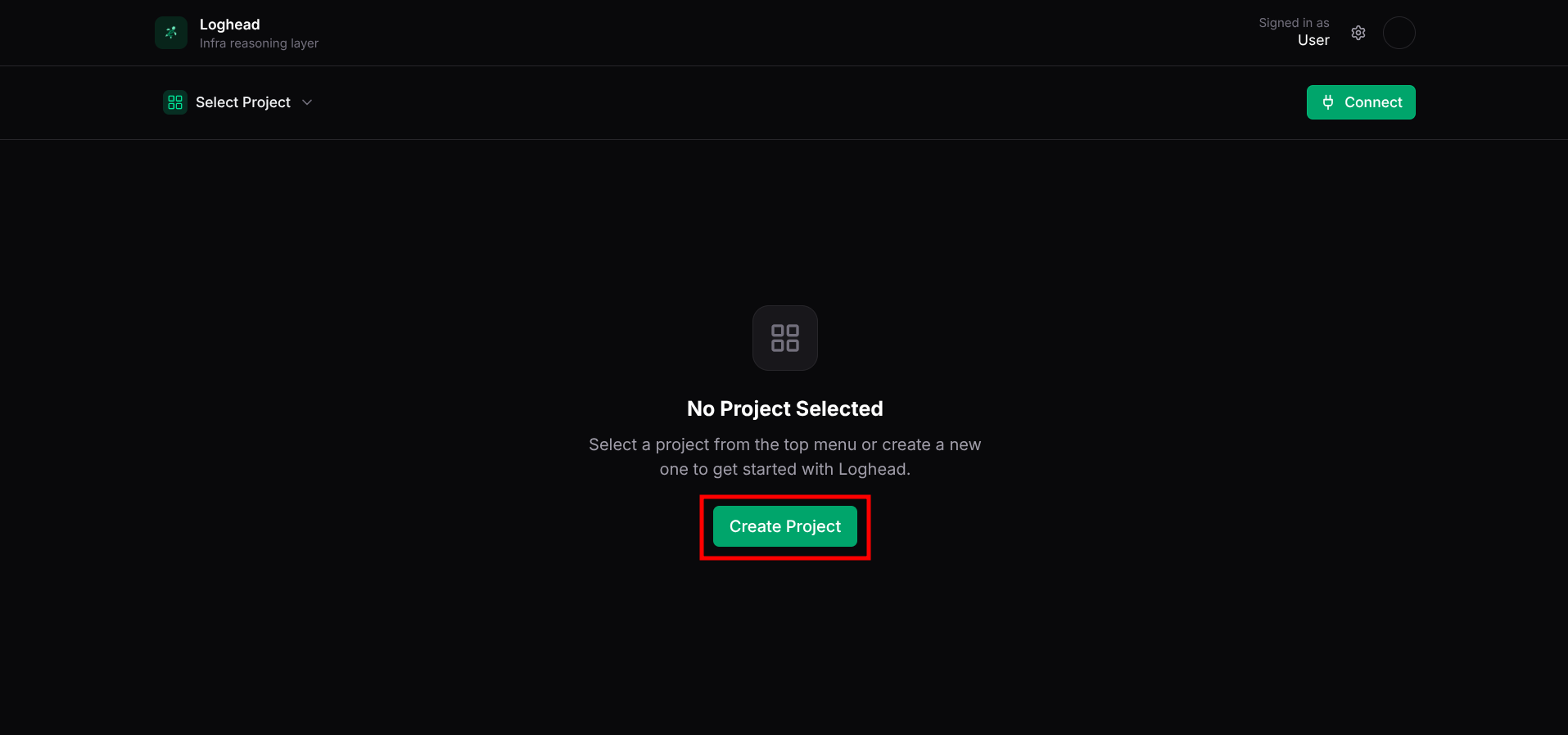
Go to your Loghead Cloud dashboard and click 'Create Project'. Choose a clear, recognizable name to keep your logs organized.

Creating a new project in the Loghead Cloud dashboard

Creating a new project in the Loghead Cloud dashboard

Add a Docker Data Stream

Inside your project, click 'Create New Stream'. Provide a recognizable name for your stream and select 'Docker' as the stream type.

Selecting 'Docker' as the data stream type

Selecting 'Docker' as the data stream type

Get Your Stream Token

After creating the stream, Loghead will generate a unique Stream Token. Copy this token for your configuration.

Configure Your Container

Update your docker-compose.yml file to override the default command, piping the container's output to the Loghead CLI tool.

Configuring docker-compose.yml to stream logs

Configuring docker-compose.yml to stream logs

CODE
command: sh -c "your-command | npx @loghead/terminal --api https://www.loghead.dev --token <STREAM_TOKEN>"

Stream Your Logs

Start your Docker container. Your logs will now automatically stream to the Loghead dashboard.

Viewing streaming Docker logs in Loghead

Viewing streaming Docker logs in Loghead

Universal Docker Logging in Loghead Cloud

Streaming Docker container logs to Loghead Cloud provides real-time observability for your microservices, containerized applications, and complex deployments.

terminal — zsh
docker-compose up
[Loghead] Streaming logs... [Loghead] Successfully ingested Docker logs.
ERROR
AI Insight:

Why Ingest Docker Logs?

When running distributed systems or multi-container architectures, keeping track of the standard output and error across multiple containers can be challenging. By piping these logs directly to Loghead Cloud, you gain:

  • Centralized storage for all your container outputs.
  • Powerful search to quickly find errors or warnings across your entire infrastructure.
  • Shareable URLs to send specific log traces to team members.

Getting Started via the UI

By following the solution steps above, you can securely stream any container's output directly into your cloud dashboard. We recommend overriding the command in your docker-compose.yml to pipe the logs via @loghead/terminal.

After successfully sending your first container logs, try exploring the Search and Analytics tabs in the Loghead Cloud UI to filter your Docker logs by severity, timestamp, and specific keywords.

Ready to modernize
your logging workflow?

# Other Integrations